
Ready to Move from ADF to Microsoft Fabric?
Microsoft Fabric brings data integration, engineering, warehousing, and analytics closer together. But is migrating your existing Azure Data Factory pipelines as simple as it sounds?
Migration is more than copying pipelines to a new platform. Differences in connectivity, transformations, scheduling, deployment, and pricing can introduce unexpected challenges. A clear migration strategy helps you identify these issues before production cutover.
Compare the Platforms
Understand the key differences between Azure Data Factory and Fabric Data Factory.
Identify Migration Risks
Review compatibility, connectivity, transformations, and scheduling requirements.
Plan Your Migration
Follow a phased approach to assessment, testing, deployment, and validation.
Evaluate Costs
Consider engineering effort, platform consumption, and ongoing operations.
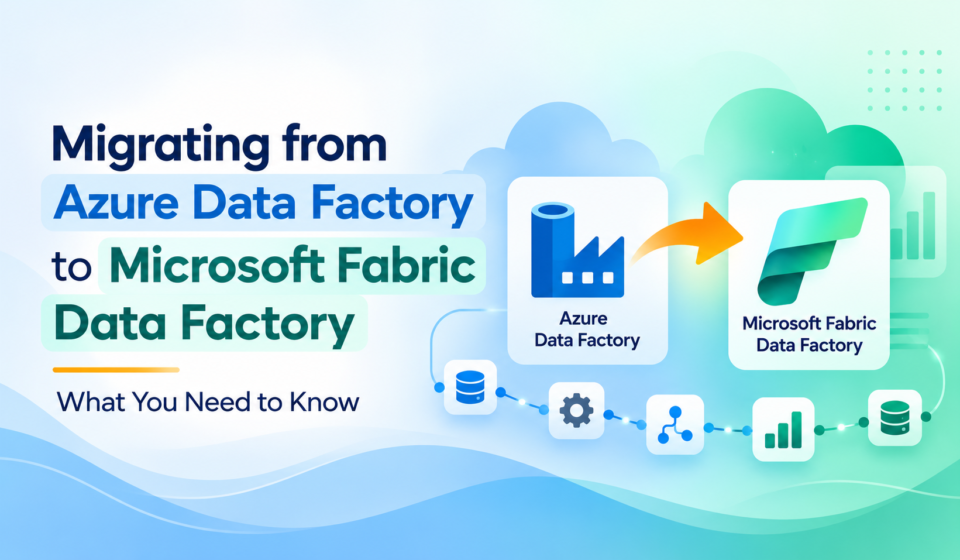
Organizations use Azure Data Factory (ADF) to build data pipelines, automate ETL/ELT processes, and integrate data across cloud and on-premises environments.
As Microsoft Fabric adoption grows, many are considering migrating existing ADF workloads to Fabric Data Factory.
Fabric combines data integration, engineering, warehousing, and analytics in one platform. However, migration requires careful planning around connections, authentication, transformations, scheduling, deployment, and costs.
Microsoft provides assessment and upgrade tools for supported scenarios, helping teams evaluate compatibility and migrate pipelines incrementally.
This guide covers key differences, migration challenges, benefits, and practical steps for a successful transition.
Table of Contents
What Is Azure Data Factory?
Azure Data Factory is a cloud-based data integration service designed to help organizations build, schedule, and manage data workflows.
It allows data engineers to connect to multiple sources, extract information, transform it, and load it into analytical or operational destinations.
Common Azure Data Factory capabilities include:
- Data pipelines: Orchestrate data movement and processing activities.
- Copy activity: Transfer data between supported sources and destinations.
- Mapping Data Flows: Build visual data transformations without writing all the transformation logic manually.
- Linked services: Define connections to data stores and compute services.
- Datasets: Describe the structure or location of data used by pipeline activities.
- Integration runtimes: Provide the compute and connectivity infrastructure required for data movement and transformation.
- Triggers: Schedule pipelines or start them based on supported events.
- Monitoring: Track pipeline execution, activity status, failures, and performance.
ADF is particularly useful for organizations that need a dedicated Azure data integration service and already have established Azure-based data engineering processes.
What Is Microsoft Fabric Data Factory?
Microsoft Fabric Data Factory is the data integration experience within Microsoft Fabric. It provides tools for data movement, transformation, and workflow orchestration as part of a broader analytics platform.
Rather than operating as a separate Azure data integration service, Fabric Data Factory works within Fabric workspaces and integrates with the platform’s other analytical capabilities.
Its core capabilities include:
- Data pipelines: Orchestrate ingestion, transformation, and processing workflows.
- Copy activity and Copy jobs: Move data from supported sources into target destinations.
- Dataflow Gen2: Prepare and transform data using a Power Query-based experience.
- OneLake integration: Work with Fabric’s unified data lake.
- Lakehouse and Warehouse integration: Load and prepare data for analytical workloads.
- Fabric connections: Configure reusable connectivity and authentication.
- Monitoring Hub: Review and troubleshoot supported Fabric workload executions.
- Deployment pipelines and Git integration: Support development, testing, and production workflows.
- AI-assisted development: Use available Copilot capabilities to assist with pipeline creation and development.
Microsoft Fabric Data Factory supports a broad range of cloud, multicloud, and hybrid data integration scenarios, with available connectors and capabilities depending on the specific workload.
For additional details, refer to the official Microsoft Fabric Data Factory overview.
Why Are Organizations Considering the Migration?
Moving to Fabric Data Factory can be attractive when an organization wants to simplify its analytics architecture and bring data integration closer to its analytical destinations.
1. Unified analytics architecture
Many organizations operate separate services for data ingestion, storage, transformation, reporting, and governance. This can increase operational complexity and create additional integration requirements.
Fabric brings several analytical experiences together, enabling teams to build pipelines that work with OneLake, Lakehouse, Warehouse, and other supported Fabric items.
2. Better integration with OneLake
OneLake provides a unified logical data lake for Microsoft Fabric. When organizations use Fabric as their primary analytics platform, integrating data pipelines with OneLake can help simplify data access and data engineering workflows.
3. Integrated development and deployment
Fabric provides workspace-based development and deployment capabilities. Depending on the team’s requirements, Git integration and deployment pipelines can support a more consistent development lifecycle.
4. Opportunities to modernize existing pipelines
Migration provides an opportunity to remove unused pipelines, consolidate connections, standardize naming conventions, improve parameterization, and replace outdated transformation patterns.
5. A broader set of data integration options
Fabric Data Factory supports pipelines, Dataflow Gen2, Copy jobs, and other integration patterns. Teams can select an appropriate approach based on data volume, transformation complexity, latency requirements, and operational needs.
Important: Migrating to Fabric does not automatically improve performance or reduce costs. The outcome depends on workload characteristics, compatibility, architecture, capacity utilization, and implementation quality.
Azure Data Factory vs. Microsoft Fabric Data Factory: Key Differences
Before starting a migration, it is important to understand what changes between the two platforms.
Azure Data Factory vs. Microsoft Fabric Data Factory
Compare the key platform differences before planning your Azure Data Factory migration.
Swipe horizontally to view all columns →
| Feature | Azure Data Factory (ADF) | Microsoft Fabric Data Factory |
|---|---|---|
| Platform | Azure data integration service | Data integration experience within Microsoft Fabric |
| Development interface | Azure Data Factory Studio | Fabric workspace |
| Data storage integration | Azure Storage, databases, data lakes, and other supported services | OneLake, Lakehouse, Warehouse, and supported external systems |
| Pipeline orchestration | Pipelines, activities, parameters, and triggers | Pipelines, activities, parameters, and supported schedules or triggers |
| Data connections | Linked services | Fabric connections and activity-level configuration |
| Datasets | Separate reusable dataset objects | Dataset properties are generally configured within activities |
| Global parameters | Global parameters | Fabric Variable Libraries and other supported parameterization patterns |
| Transformation | Mapping Data Flows, SQL, notebooks, and integrated services | Dataflow Gen2, SQL, notebooks, and other supported Fabric tools |
| Integration runtimes | Azure, self-hosted, managed virtual network, and SSIS integration runtimes, depending on the scenario | Fabric connectivity and execution options, including supported gateways |
| Deployment | Azure Resource Manager templates and Git workflows | Fabric Git integration and deployment pipelines, depending on the scenario |
| Monitoring | ADF monitoring experience | Fabric monitoring experiences, including Monitoring Hub |
| Cost model | Azure service-specific billing | Fabric capacity consumption and applicable service meters |
Migration tip: These differences are a starting point for assessment, not a guarantee of one-to-one compatibility. Validate connector support, authentication, activity behavior, networking, and pricing for your specific workload before migrating.
These differences can influence migration complexity. Some components have straightforward equivalents, while others need configuration changes, alternative implementations, or a complete redesign.
For detailed compatibility information, consult Microsoft’s upgrade planning guide.
Benefits of Migrating to Microsoft Fabric Data Factory
1. Simplified data integration and analytics
Fabric enables organizations to manage data integration within the same broader platform used for data engineering, data warehousing, and Power BI analytics.
This can reduce the number of separate environments that teams must coordinate.
2. Native access to Fabric data items
Pipelines can work with supported Fabric destinations and activities, including Lakehouse and Warehouse workflows.
This is particularly valuable when an organization’s analytical data already resides in OneLake.
3. Improved collaboration between teams
Data engineers, analysts, and BI developers can work within a shared Fabric workspace structure, subject to appropriate permissions and governance policies.
This can make ownership, collaboration, and deployment practices easier to standardize.
4. Opportunities to improve development workflows
Fabric’s Git integration and deployment pipelines can help teams establish development, test, and production processes.
Organizations should still design their branching strategy, deployment permissions, environment-specific configuration, and release validation procedures.
5. Modernization rather than simple migration
The transition provides an opportunity to review whether every existing pipeline is still necessary.
Unused assets can be retired, repetitive logic can be consolidated, and transformations can be redesigned using Fabric-native capabilities where appropriate.
Which Azure Data Factory Components Need to Change?
This is one of the most important parts of the migration process. Although many ADF concepts have Fabric counterparts, the implementation details are not always identical.
| Azure Data Factory Component | Fabric Approach | What to Review |
|---|---|---|
| Linked services | Fabric connections and activity settings | Authentication, connector support, and connection reuse |
| Datasets | Properties configured within activities | Source and destination configuration |
| Global parameters | Fabric Variable Libraries | Parameter types, scope, and references |
| Execute Pipeline activity | Invoke Pipeline activity | Pipeline references and connection configuration |
| Self-hosted Integration Runtime | On-premises Data Gateway for applicable connectivity scenarios | Network access, gateway configuration, and supported sources |
| Managed virtual network or VNet-injected runtime | Supported Fabric virtual network connectivity options | Private networking requirements and feature availability |
| Mapping Data Flows | Supported Mapping Data Flow transforms in Dataflow Gen2, or redesigned transformations | Compatibility, connectors, and preview limitations |
| Managed identity | Fabric Workspace Identity, where supported | Permissions and identity configuration |
| Azure Key Vault integration | Supported Fabric Key Vault reference capabilities | Authentication, secret access, and configuration differences |
| ADF triggers | Fabric schedules and supported trigger options | Schedule behavior, dependencies, and operational requirements |
| Azure Resource Manager deployment | Fabric Git and deployment pipeline workflows, where appropriate | Environment configuration and release procedures |
Migration tip: Treat these mappings as starting points, not automatic one-to-one replacements. Confirm feature availability, connector support, authentication, and networking requirements for each workload. On smaller screens, swipe horizontally to view all columns.
The exact mapping depends on the current feature support and the design of each pipeline. Validate individual components using the built-in assessment experience and Microsoft’s migration documentation.
Understanding the integration runtime changes
Integration runtimes are especially important because they determine how data movement and processing workloads connect to their sources and destinations.
For example, an existing ADF environment might use a self-hosted Integration Runtime to reach a database behind a corporate firewall.
During ADF to Fabric migration, the team must determine which supported Fabric gateway or networking option provides the required connectivity. Recreating the pipeline without solving this dependency can result in authentication or connection failures.
Likewise, workloads that depend on Azure-SSIS Integration Runtime need special attention. Do not assume that the existing SSIS execution model can be reproduced directly in Fabric.
Which Pipelines Are Good Candidates for Migration?
Not every pipeline requires the same amount of work. A readiness assessment helps teams determine which workloads can move first and which need redesign.
| Pipeline Type | Indicative Suitability | Recommended Action |
|---|---|---|
| Simple copy pipelines | Often a good candidate | Assess connector support and validate data movement. |
| Pipelines using standard control-flow activities | Often a good candidate | Verify activity properties, expressions, and dependencies. |
| Pipelines loading Fabric Lakehouse or Warehouse | Potentially strong fit | Test destination configuration and data types. |
| Metadata-driven pipelines | Requires careful assessment | Review dynamic connections, parameters, and reusable logic. |
| Complex Mapping Data Flows | Depends on supported features | Assess transformations and consider redesign. |
| Pipelines using self-hosted runtimes | Connectivity planning needed | Evaluate the applicable Fabric gateway solution. |
| SSIS-dependent workflows | Separate strategy needed | Determine whether existing SSIS workloads must remain in Azure or be replatformed. |
| Pipelines using unsupported activities | Remediation required | Identify an alternative implementation before cutover. |
Important: These suitability labels are indicative, not compatibility guarantees.
Assess individual activities, connectors, authentication, networking, and business requirements
before deciding to migrate a pipeline.
On mobile, swipe horizontally to view all columns.
How Ready Are You to Migrate from ADF to Fabric?
Before switching your production pipelines, use this interactive checklist to review the essential migration validation steps. Mark each item as you complete it, track your progress, and copy the checklist status for your project notes.
Tip: A completed checklist is a useful starting point, but it does not replace formal testing or production approval.
ADF-to-Fabric Migration Readiness Check
Check each validation step as you complete it and track your progress.
Check for missing or duplicated records.
What should I verify?
Compare source and destination row counts and investigate unexpected differences.
Confirm values and business calculations remain correct.
What should I verify?
Compare representative records, totals, aggregates, and important business rules.
Review column names, data types, and nullability.
What should I verify?
Compare source and destination schemas, including precision, nullability, and expected column changes.
Test filters, joins, and calculated fields.
What should I verify?
Use representative test cases to confirm that the Fabric pipeline produces the expected business results.
Compare execution duration and data throughput.
What should I verify?
Benchmark representative workloads under comparable conditions and record any capacity or concurrency differences.
Validate retry policies and failure recovery.
What should I verify?
Test recoverable failures, timeout behavior, retry limits, and downstream failure handling.
Confirm identities and access controls are correct.
What should I verify?
Test source access, destination permissions, secret handling, and least-privilege requirements.
Confirm schedules and end-to-end workflow dependencies.
What should I verify?
Check recurrence, time zones, execution order, downstream refreshes, and duplicate-processing risks.
Ensure failures can be detected and investigated.
What should I verify?
Confirm execution logs, alert routing, operational ownership, and troubleshooting procedures.
Step-by-Step Guide to Migrating from Azure Data Factory to Fabric Data Factory
A phased migration is generally safer than attempting to move every pipeline at once.
Step 1: Inventory the existing ADF environment
Start by documenting the existing environment and its dependencies.
Collect information about:
- Pipelines and their activities.
- Linked services and datasets.
- Global parameters and pipeline parameters.
- Integration runtimes.
- Triggers and scheduling dependencies.
- Mapping Data Flows.
- Authentication methods and secrets.
- Source and destination systems.
- Monitoring, alerting, and operational ownership.
- Business criticality and execution frequency.
Identify unused pipelines and duplicate assets before migration. This prevents unnecessary work and helps reduce the complexity of the target environment.
Deliverable: A complete inventory of ADF assets, dependencies, and business owners.
Step 2: Assess pipeline compatibility
Use Microsoft’s built-in upgrade assessment experience to evaluate which pipelines and activities are ready for Fabric.
The assessment categorizes items into readiness groups such as Ready, Needs review, Coming soon, and Not compatible.
These results help teams understand which pipelines can be upgraded, which require manual intervention, and which depend on capabilities that are not yet supported by the upgrade experience.
Do not treat an assessment result as a substitute for testing. A pipeline that is technically eligible may still require changes to authentication, data paths, permissions, or business logic.
Deliverable: A compatibility report and prioritized remediation backlog.
Step 3: Choose the migration approach
Microsoft documents several ways to approach an ADF-to-Fabric transition.
ADF-to-Fabric Migration: Compare Your Options
Choose a migration approach based on pipeline compatibility, workload complexity, automation requirements, and your organization’s transition plan.
| Migration Approach | Best Suited For | Main Advantage | Important Consideration |
|---|---|---|---|
| 1 Bring an existing ADF into a Fabric workspace | Discovery and gradual transition | Improves visibility and enables side-by-side planning | The ADF workload continues to execute using its existing Azure resources. |
| 2 Built-in pipeline upgrade experience | Supported pipelines that need a guided migration | Assessment and upgrade are integrated into the experience | Unsupported assets still require remediation or redesign. |
| 3 Manual rebuild | Complex pipelines or workloads with compatibility gaps | Allows the target design to use appropriate Fabric capabilities | Requires more engineering and testing. |
| 4 Scripted upgrade using PowerShell | Bulk migrations and automation-oriented teams | Supports repeatable upgrade workflows | Requires scripting, permissions, connection mapping, and validation. |
Recommended starting point:
For many teams, the built-in upgrade experience is a sensible first step
for supported pipelines. Assess compatibility first, and plan separate
remediation for unsupported components.
On mobile, swipe horizontally to view all four columns.
Step 4: Configure Fabric connections and authentication
Create and validate the connections needed by the target pipelines.
Review:
- Connector availability.
- Authentication methods.
- Workspace identity permissions.
- Secret and credential management.
- Gateway and network requirements.
- Source and destination access.
- Environment-specific connection settings.
Where possible, standardize reusable connections and use appropriate identity-based authentication instead of introducing unnecessary credential duplication.
For example, a pipeline that previously used a linked service with a service principal may require a corresponding Fabric connection and a review of the permissions granted to the new identity.
Do not assume that existing credentials or managed identity settings transfer automatically.
Step 5: Migrate pipeline activities and parameters
Upgrade eligible pipelines and review the generated output carefully.
Pay particular attention to:
- Activity names and configuration properties.
- Expression syntax and dynamic content.
- Pipeline parameters.
- Global parameters and Variable Libraries.
- Lookup, ForEach, If Condition, and other control-flow activities.
- Retry policies and timeouts.
- Error handling and failure paths.
- Child pipeline invocation.
- Source and sink configurations.
A pipeline that appears structurally correct may still behave differently when it encounters empty results, failed activities, unexpected data types, or network errors.
Use a representative test dataset and validate both successful execution and failure handling.
Step 6: Redesign unsupported transformations
Mapping Data Flows and other complex transformations may require special attention.
Depending on the workload, suitable alternatives can include:
- Dataflow Gen2 for Power Query-based data preparation.
- Fabric Warehouse SQL for set-based transformations.
- Spark notebooks for custom data engineering logic.
- Other supported Fabric activities and data processing services.
Eligible Mapping Data Flows can be upgraded to Mapping Data Flow transforms in Dataflow Gen2 through the built-in experience, subject to current support and preview limitations.
Review the supported connectors, transformations, authentication methods, and networking configurations before selecting this route.
Best practice: Redesign only where necessary. Preserve existing business logic where possible, and document any intentional changes to transformation behavior.
Step 7: Rebuild scheduling and dependencies
Scheduling is another area that can introduce unexpected differences.
Review:
- Pipeline execution times.
- Recurrence and time zones.
- Dependencies between pipelines.
- Event-driven execution requirements.
- Retry and failure recovery behavior.
- Downstream data refreshes.
- Operational notification requirements.
Fabric scheduling and trigger capabilities do not necessarily reproduce every ADF scheduling pattern exactly.
For instance, if several ADF pipelines depend on centrally managed triggers, determine how the corresponding schedules and dependencies will be managed in Fabric.
Test the complete workflow, not only the individual pipelines.
Step 8: Validate data quality and functional parity
Before moving a production workload, compare the old and new implementations using consistent test conditions.
ADF-to-Fabric Migration: Validation Checklist
Before switching production workloads, validate data quality, transformation behavior, performance, security, and operational readiness.
| Validation Area | What to Check | Example Validation |
|---|---|---|
| 01Data completeness | Missing or duplicated records | Compare row counts. |
| 02Data accuracy | Values and business calculations | Compare selected records and aggregates. |
| 03Schema compatibility | Column names, types, and nullability | Compare source and destination schemas. |
| 04Transformation logic | Filters, joins, and calculated fields | Validate expected business rules. |
| 05Performance | Execution duration and throughput | Compare representative runs. |
| 06Reliability | Retry and failure behavior | Simulate recoverable failures. |
| 07Security | Permissions and sensitive data access | Test authorized and unauthorized access. |
| 08Scheduling | Timing and dependency behavior | Verify scheduled end-to-end execution. |
| 09Monitoring | Logs, alerts, and troubleshooting | Confirm failures can be detected and diagnosed. |
On mobile, swipe horizontally to view all columns.
For critical workloads, consider parallel validation: run both implementations against the same source data and compare their outputs before switching consumers to the Fabric version.
Step 9: Deploy to production
After validation, define a controlled production cutover.
A typical cutover includes:
- Confirming that the target pipeline is fully tested.
- Agreeing on a change window with affected teams.
- Pausing or coordinating the old pipeline to avoid duplicate processing.
- Activating the Fabric schedule or trigger.
- Verifying the first production execution.
- Checking downstream tables, reports, and dependent workflows.
- Monitoring performance and failures.
- Keeping a documented rollback plan.
Avoid allowing both implementations to write to the same destination simultaneously unless the architecture explicitly supports safe concurrent execution.
Step 10: Optimize and monitor the new environment
Migration should not end after the first successful run.
Monitor pipeline failures, execution times, capacity consumption, data quality, and downstream refreshes.
Review whether the new design makes appropriate use of Fabric capabilities. Consolidate redundant transformations, remove unnecessary intermediate copies, and adjust execution schedules where business requirements permit.
Use these findings to improve reliability and manage costs over time.
Conclusion
Migrating from Azure Data Factory to Microsoft Fabric Data Factory can simplify data integration and bring analytics workloads closer together. However, success depends on careful compatibility assessment, connection configuration, transformation validation, cost evaluation and choosing the right Microsoft Fabric implementation services provider.
A phased migration with thorough testing and a clear rollback plan helps minimize risk. Start with a pipeline inventory, migrate suitable workloads incrementally, and redesign complex pipelines where necessary.
Treat migration as an opportunity to modernize your data architecture—not just move existing pipelines to a new platform.
Final recommendation: Start by assessing compatibility and business value, then migrate a representative pilot before committing to a large-scale rollout.
FAQs
1. Can all Azure Data Factory pipelines be migrated to Microsoft Fabric Data Factory?
No. Many supported pipelines can be upgraded through Microsoft’s guided experience, but some activities, runtime dependencies, authentication patterns, or transformations require remediation or redesign.
Use the compatibility assessment to determine the readiness of each pipeline.
2. Does bringing Azure Data Factory into Fabric migrate the pipelines automatically?
No. Bringing an ADF factory into a Fabric workspace provides visibility and allows teams to work with their existing factory in the Fabric environment. It does not automatically move the pipeline execution to Fabric.
A separate upgrade or migration action is required to upgrade supported pipelines.
3. Is Azure Data Factory being deprecated?
No. Microsoft continues to support Azure Data Factory. Organizations can evaluate Fabric Data Factory without assuming they must immediately move every existing workload.
4. What happens to linked services during migration?
ADF linked services need to be mapped to Fabric connections and supported activity configurations. Authentication, permissions, connector availability, and network requirements should all be validated.
5. Can Mapping Data Flows be migrated to Fabric?
Eligible Mapping Data Flows can be upgraded to Mapping Data Flow transforms in Dataflow Gen2 through the built-in upgrade experience, subject to current compatibility requirements and preview limitations.
Unsupported scenarios may need to be redesigned using Dataflow Gen2, Warehouse SQL, Spark notebooks, or other appropriate tools.
6. Can I keep some pipelines in Azure Data Factory and migrate others to Fabric?
Yes. A phased approach allows teams to upgrade suitable workloads while retaining other pipelines in ADF until their dependencies are addressed.
However, plan ownership, monitoring, data dependencies, and production scheduling carefully across both environments.